The problem
I get a booking and then silence. No confirmation goes out, no reminder follows, and the call slips the lead’s mind. I send these by hand, when I remember.
The build
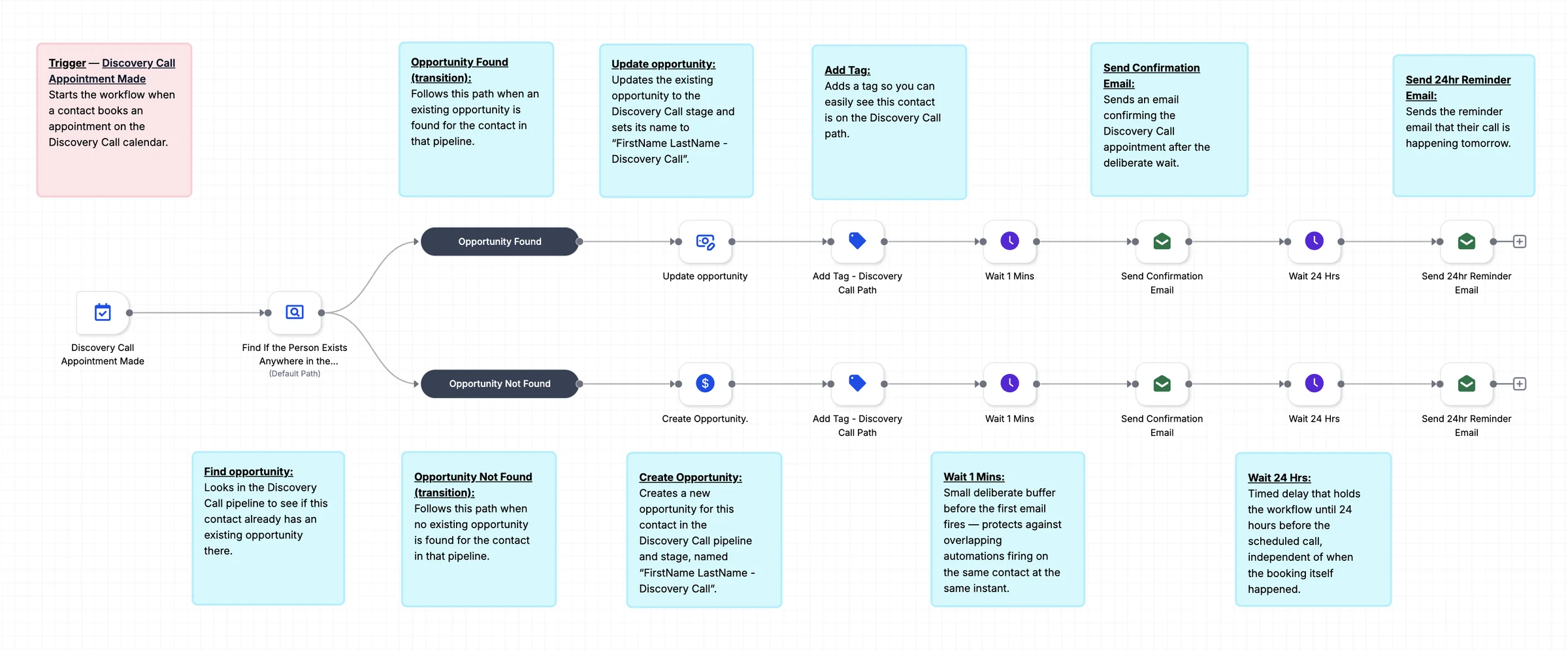
One workflow starts when someone books the Discovery Call calendar. It finds the contact’s opportunity or creates one, tags the contact, sends a confirmation email, then holds until 24 hours before the call and sends a reminder.
What it changes
You stop sending confirmations and reminders by hand. Every booking gets an opportunity, a tag and two emails without you, and the pipeline shows who is booked at a glance.
How it works, step by step
- A booking on the Discovery Call calendar starts the workflow.
- The workflow finds the contact’s opportunity or creates one in the Discovery Call stage.
- The contact is tagged, and a confirmation email goes out after a short pause.
- A reminder email goes out 24 hours before the call, whenever the booking was made.